
 Français
 Deutsch



In business operations, manual tasks such as email processing, data entry, or report management are often time-consuming and prone to errors. Applying artificial intelligence (AI) to automate these repetitive tasks not only helps standardize processes but also acts as a lever for personnel to focus on strategic missions. The article below will outline 15 practical automation examples to help your business optimize operations and enhance performance starting today.
Why should businesses automate repetitive tasks using AI?
In business operations, the greatest waste often comes from personnel having to manually handle recurring tasks such as data entry, email categorization, or report compilation. Automation via artificial intelligence (AI) is the core solution to overcome this situation, helping businesses standardize workflows, eliminate manual errors, and accelerate data processing speeds. As a result, operational costs are optimized while building a more seamless and professional working system.
Simultaneously, AI acts as an effective partner and is not born to replace humans. When this burden is shared, the personnel team will be maximally liberated from their time to focus on core tasks that bring higher value, such as strategic thinking or creativity.
15 examples of manual task automation using AI
Without the need for overly complex systems, the journey of operational optimization can fully begin by applying technology to the following basic and common tasks:
Email filtering and automated replies
Businesses can use automation tools to categorize emails by sender, subject, priority, or responsible department. Common emails such as appointment confirmations, information request responses, or internal notifications can also be set up with automated replies.
With ATN Script, businesses can automate email-related operations such as categorizing mail, downloading attachments, saving documents to the correct folders, or transferring data to internal software. This approach helps reduce mailbox processing time, limits the oversight of important information, and improves response speed in daily work.
Automated meeting scheduling
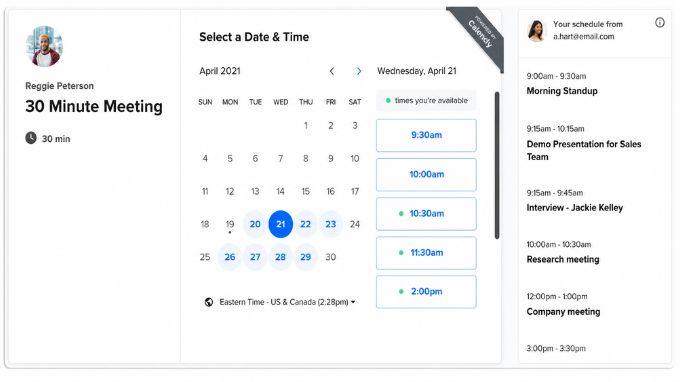
Arranging meetings is often time-consuming because of the back-and-forth communication required to find suitable time slots. With automated scheduling tools like Calendly or TidyCal, employees only need to share a blank calendar link for others to select times. The system then automatically creates an event on Google Calendar or Outlook, sends invitations, and reminds stakeholders. This helps reduce scheduling conflicts, saves coordination time, and creates a more professional working experience.
Task management and deadline reminders
Modern task management platforms like ClickUp, Asana , ... can automatically create recurring tasks, send deadline reminders, and update progress at each stage. For example, when a project moves to a new step, the system can automatically assign work to the next person in charge. Thereby, the team can easily track responsibilities, avoid forgetting important work, and reduce reliance on manual reminders via email or messaging.
Automated document creation and storage
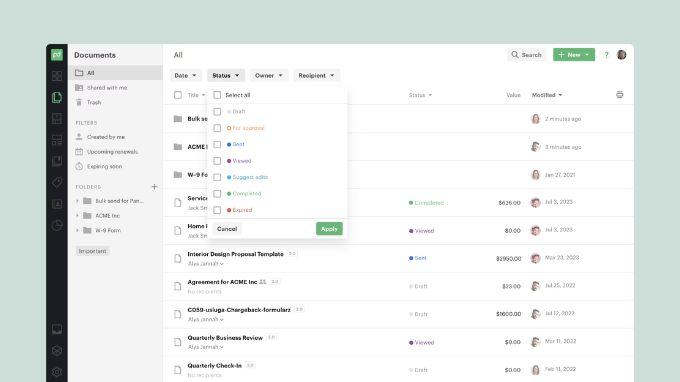
Businesses can automatically create familiar documents such as contracts, quotes, minutes, confirmation letters, or customer profiles from available data. The system will take information from forms, internal software, or customer data to fill in document templates, then save them in the correct folder, send them for approval, or transfer them to customers when needed.
To implement this process, tools like PandaDoc can support creating documents from templates, connecting to customer management systems, tracking document status, and setting up approval steps before sending. This method helps reduce data entry errors, shortens document processing time, and manages documents more consistently.
Automated report generation
Instead of manually compiling data from many Excel files, software, or emails, businesses can use automated dashboards like Microsoft Power BI to update reports in real-time. Indicators regarding revenue, customers, marketing, HR, or operations can be displayed visually and sent periodically to the person in charge.
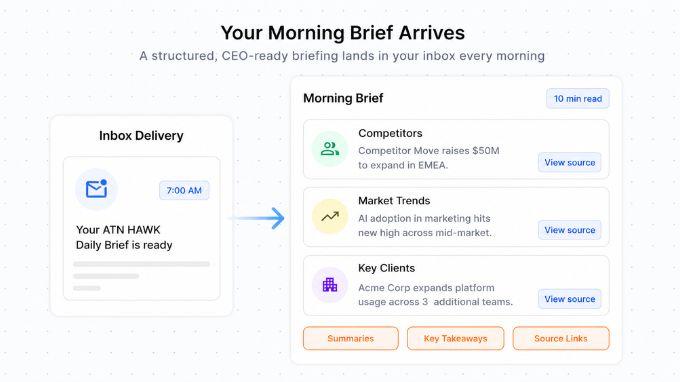
In addition to internal reports, ATN Hawk is also suitable for needs such as tracking the market, competitors, and industry news by automatically collecting, filtering, and synthesizing information into a concise briefing.
Automated meeting room and desk booking
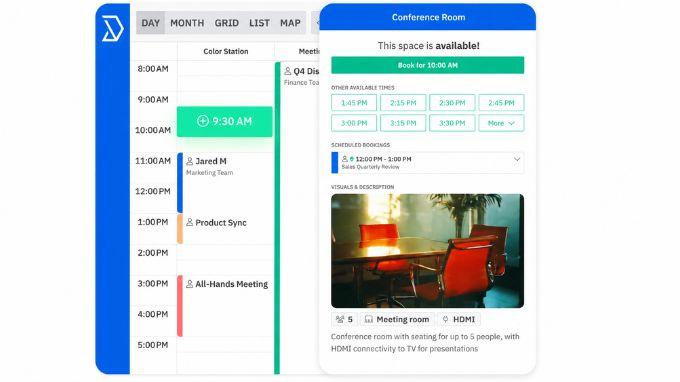
In a flexible working environment, booking meeting rooms or desks can become complicated if managed manually. Automated systems allow employees to check availability, book in real-time, and receive instant confirmation. Some tools can even cancel a room if it is not used after a certain period.
Platforms like Robin or Skedda are suitable for businesses with hybrid work models, multiple offices, or the need to optimize workspace. Consequently, employees are more proactive, and the administrative department reduces manual coordination work.
Smart sensors for office or factory
Smart sensors can be used to automatically adjust lighting, temperature, ventilation, or track space usage. In factories or warehouses, sensors also support environmental monitoring, abnormality detection, and sending alerts when maintenance is needed.
When combined with the 2IFACTORY solution, the DFM Europe IoT platform supports real-time sensor monitoring, setting threshold-based alerts, and tracking operational metrics. Thereby, businesses can save energy, reduce costs, and maintain more stable working conditions.
CV filtering and candidate management
In recruitment, candidate management systems can automatically filter CVs based on keywords, skills, experience, or set criteria. After that, the system can organize profiles, send response emails, schedule interviews, and update candidate status.
Software such as Greenhouse, Lever, or Workable helps businesses manage the recruitment process more clearly. This helps the HR department save time and avoids missing suitable candidates.
New employee onboarding process
When there is a new employee, the business needs to send documents, create accounts, provide equipment, and assign training. Automation helps trigger these steps immediately after the candidate confirms their acceptance of the job, while notifying HR, IT, and the direct manager. Tools like BambooHR or Rippling can support managing the new employee onboarding process, helping relevant departments track tasks more clearly and reducing manual operations during the period when the employee begins joining the company.
Automated leave management
Instead of sending leave requests via email and waiting for manual feedback, employees can send leave requests directly on the system. The tool will automatically check the number of remaining leave days, forward the request to the manager, and update the work schedule after approval. Software like Zoho People or Workday can support this process, helping the HR department easily track leave data, reduce errors when compiling attendance, and helping employees clearly know the status of their requests.
Automated email marketing
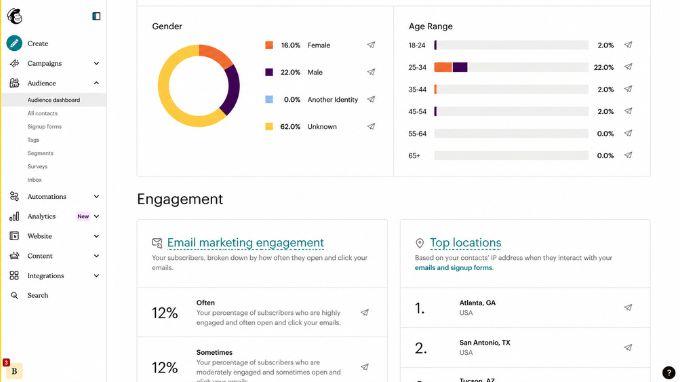
Automated email marketing helps businesses send the right content to the right customer group at the right time through software like Mailchimp or ActiveCampaign... For example, the system can send a welcome email when a customer signs up, an event reminder email, or a follow-up nurturing sequence after downloading a document. These campaigns can be personalized based on customer behavior and level of interest. As a result, the marketing team saves time while maintaining regular interaction.
Automated lead scoring
In sales, the sales team often has to handle many customers at the same time, but not everyone has the same level of interest. Automation helps synthesize data from consultation forms, exchange history, behavior on the website, or level of interaction with content to rank customers by priority level.
To implement this process, platforms like HubSpot or Salesforce can support businesses in tracking customer data, evaluating potential levels, and helping the sales team focus first on opportunities with a high probability of conversion.
Customer service chatbot
Chatbots integrated on websites or applications can support businesses in answering repetitive questions such as product information, warranty policies, order status, or service usage guides. For simple requests, the chatbot can respond immediately without requiring direct staff handling. If complex issues are encountered, the system can transfer the conversation to a suitable staff member. For needs such as customer surveys, collecting feedback, or measuring satisfaction levels, ATN Survey is a suitable example to incorporate because this product uses a chatbot to collect and analyze responses.
Back-office process automation
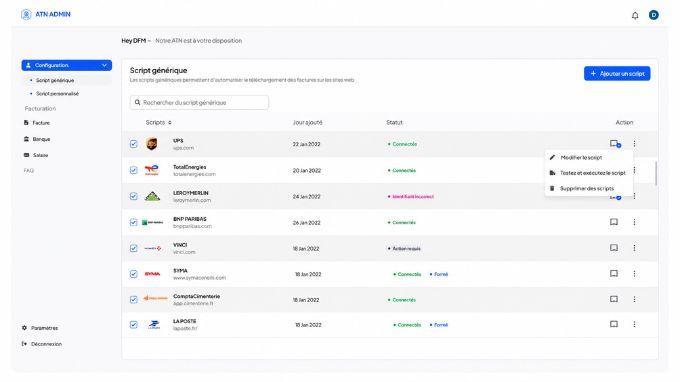
In many businesses, employees still have to perform daily repetitive actions such as downloading invoices, renaming files, saving documents to the correct folders, entering data from email into Excel, or transferring information between multiple pieces of software. These jobs are not overly complex, but they are time-consuming and prone to errors if done manually continuously. With AI, businesses can automate these sequences of operations by learning from the user's actual process, recording the main steps, and converting them into a script that can be run repeatedly.
For example, with ATN Script, businesses can automate tasks such as file processing, email categorization, invoice downloading, data entry, report creation, or performing repetitive operations between multiple pieces of internal software. This approach helps reduce manual processing time, standardize processes, and allow employees to focus more on higher-value tasks.
Automated employee account provisioning and deprovisioning
Instead of manual manipulation, automation helps synchronize access rights based on HR data, ensuring new employees have tools to work immediately and revoking access rights immediately when they leave to avoid data leakage. Solutions like Okta, JumpCloud (identity management) or Workato, Zapier (system connection) help the IT department optimize operations and secure the system effectively.
Technology reduces errors, humans create value
The nature of automation and technology is not to eliminate or replace humans but to act as a lever to help liberate us from manual, repetitive tasks. By taking over operational tasks and minimizing technical errors, technology helps optimize operational performance for the entire team.
However, we need to clearly define that AI and automation solutions are only supporting tools, effective assistants, and can never replace human thinking ability. Humans absolutely must not blindly rely on, or leave it entirely to AI to work and decide on its own, but must always keep a core role: proactively supervise, carefully check, and edit, optimizing the final output results.
Conclusion
The 15 examples of business process automation above have proven the power of technology in reducing manual tasks, thereby creating a clearer and more efficient working environment for employees. From email management, meeting scheduling, document processing, to customer service, each solution is proof that technology can accompany and support teams to work faster and more accurately.
When deployed correctly, automation also helps improve the employee working experience. Instead of spending time on repetitive tasks, employees can focus more on work that requires thinking, coordination, and decision-making. This is also the foundation for businesses to gradually apply AI to the employee experience and optimize operational performance.